DocumentationProFee tiers & order
Fee tiers & orderPro
Pro lets one payment method carry several fee rules. They are checked from the top and the first one whose conditions match is charged. Only one is ever charged, so the order you put them in is the whole logic.
First match wins
The rules on a method are checked from the top. The first one whose conditions all hold is charged, and the ones below it are never looked at. A rule with no conditions matches everything, which is why it belongs last.
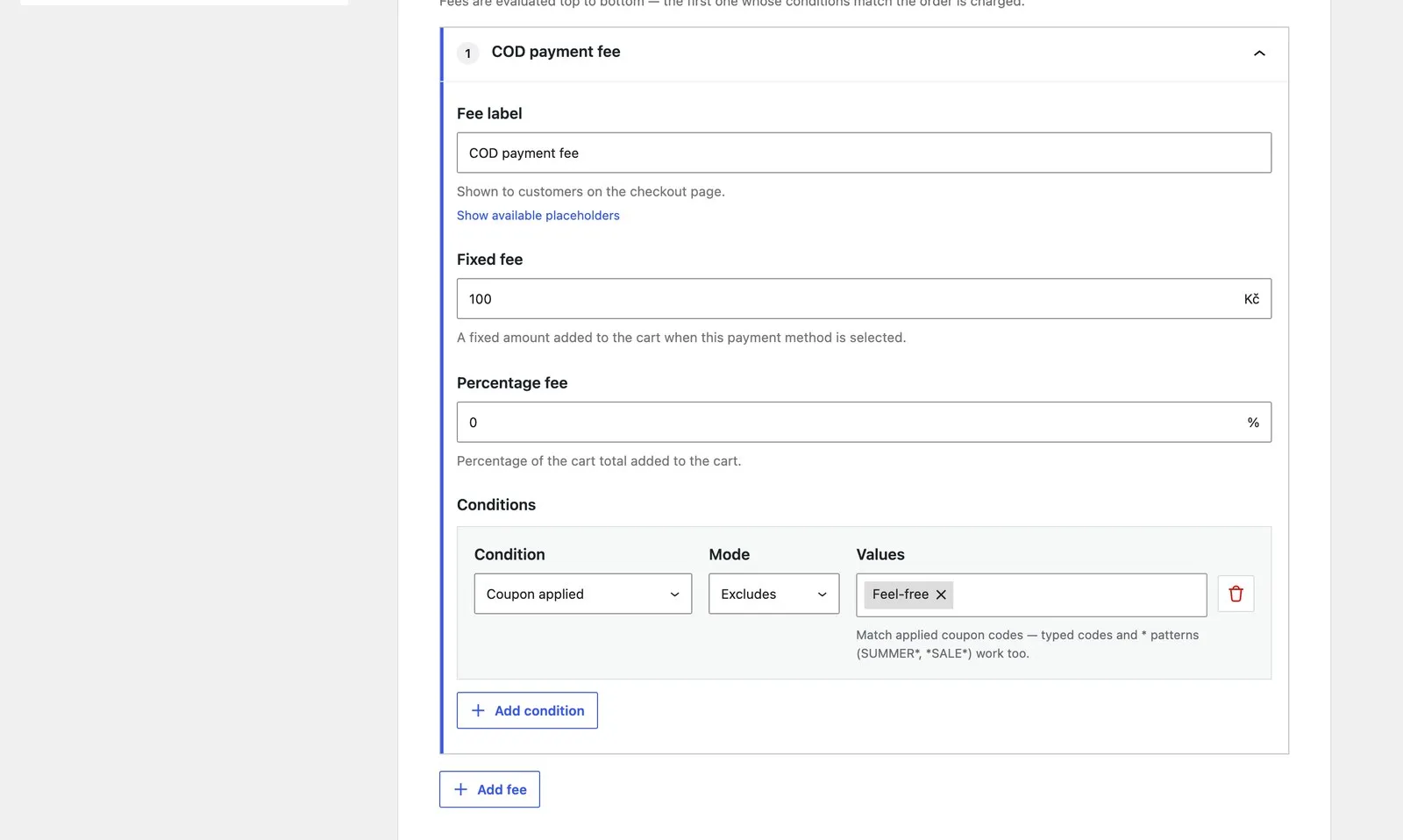
A rule with no fixed amount and no percentage is skipped, in free and in Pro alike — it is not a fee, so its conditions are never read and the rules below it are still checked. Putting a “fixed 0” rule on top of your real fee therefore changes nothing.
To stop charging in some situation, condition the charging rule instead. “No fee above 1,000” is your normal fee with cart total at most 999.99: above that it stops matching, nothing else matches either, and the order gets no fee line.
Ordering them
Drag a rule by its handle, or use the keyboard on the handle to move it up and down; the number beside each rule is its priority. Order by specificity: the narrowest conditions at the top, the broadest at the bottom.
The catch-all
Leave the last rule without conditions and every order that matched nothing above it lands there. Most methods want one. A method without a catch-all charges nothing on orders that match no rule, which is sometimes exactly the point — “a fee only on export orders” is one conditional rule and no catch-all.
When nothing matches
No fee. No line on the order, no zero row. The watchdog knows the difference between “no rule matched” and “the fee went missing”, so it will not warn about these orders.
What tiers share
Some settings belong to the payment method, not to a rule, and every tier on the method uses them:
- taxable or not, the tax class, whether amounts include tax
- the two free-shipping rules
- whether the fee shows beside the method’s name at checkout
Each tier has its own amounts, caps, percentage base, title and conditions. Each rule has its own label, so the customer can be told what this particular charge is: “Export handling” rather than “Payment fee”.
For developers
Every woocommerce_pay4pay_* filter receives the index of the tier being
calculated as a trailing argument — 0 for the first rule. A 2.x snippet that
ignores it keeps working on tier 0 and is applied to every tier that wins.
In WPML, the first rule keeps version 2’s string names. Rules below it are
registered as { '{gateway} - tier {n} - item title' } and
{ '{gateway} - tier {n} - charges fixed' } — three hyphen-separated parts,
which is what to search String Translation for.
WPML string names are per tier: the first keeps the version-2 names
({gateway} - item title, {gateway} - charges fixed) so existing
translations survive, and tiers 1 and up are registered as
{gateway} - tier {n} item title. The filter reference has
the signatures.
Tiers are Pro. The free version keeps charging the first one, so a store that downgrades never silently stops charging.
See pricing